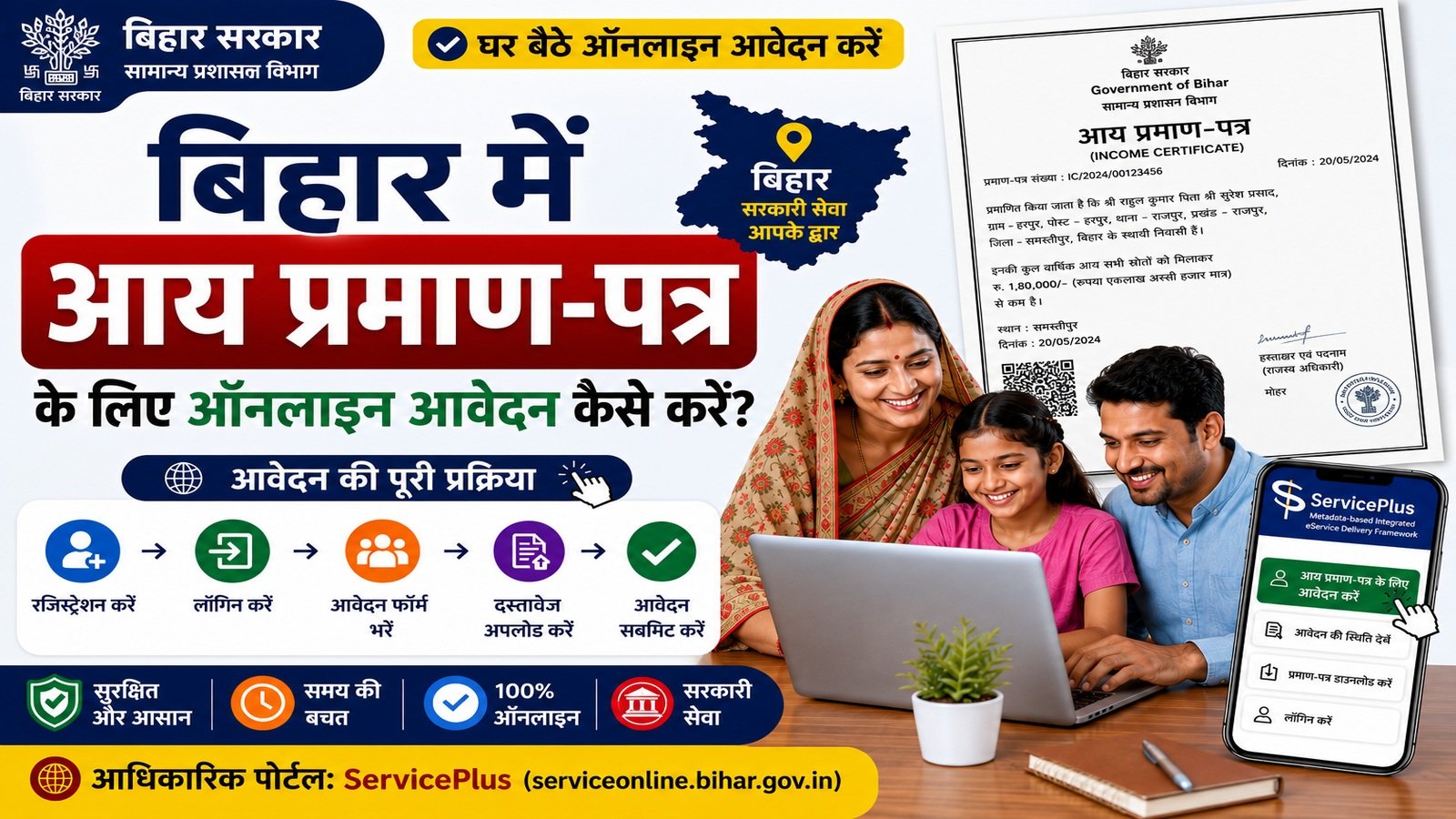
📄 Table of Contents
⚡ Quick Information
| Service | Issuance of Income Certificate |
|---|---|
| State | Bihar |
| Department | General Administration Department, Government of Bihar |
| System | ServicePlus / Bihar RTPS |
| Mode | Online / Kiosk / By Hand |
| Service Level | RO/Block, SDO/Sub-Division और DM/District |
| Delivery Time | 10 दिन, सरकारी छुट्टियों को छोड़कर |
| Official Portal | serviceonline.bihar.gov.in |
📝 Short Introduction
बिहार में आय प्रमाण पत्र (Income Certificate) के लिए online आवेदन Bihar ServicePlus/RTPS portal के माध्यम से किया जा सकता है। General Administration Department के अंतर्गत Income Certificate की सेवाएँ RO level, SDO level और DM level पर उपलब्ध हैं।
Official portal के अनुसार applicant बिना login के Department-wise Service Link से भी online service शुरू कर सकता है; login के बाद ServicePlus Inbox से service search करने का विकल्प भी उपलब्ध है।
इस guide में official portal से लेकर service selection, applicant details, address, profession, income details, documents, declaration, submission, application status और certificate download तक की पूरी process आसान भाषा में दी गई है।
🎯 आय प्रमाण पत्र की जरूरत कब पड़ सकती है?
आय प्रमाण-पत्र का उपयोग विभिन्न सरकारी, शैक्षणिक, प्रशासनिक या लाभ-संबंधी प्रक्रियाओं में आय की स्थिति प्रमाणित करने के लिए मांगा जा सकता है। जिस उद्देश्य के लिए certificate चाहिए, application form में purpose और income details सही भरें।
किसी particular scheme/admission/benefit में certificate की अलग validity या format requirement हो सकती है, इसलिए संबंधित authority की current requirement भी देखें।
✅ आवेदन शुरू करने से पहले क्या तैयार रखें?
- Applicant का सही नाम और personal details
- Father/Mother/Husband से संबंधित जानकारी, जहाँ form में लागू हो
- Valid mobile number और email ID
- पूरा Bihar address और jurisdiction details
- Profession/occupation की सही जानकारी
- Government service, agriculture, business और other sources से income details
- Current online form में मांगे गए supporting documents/enclosures
- यदि पहले application किया है, तो application reference details
💻 बिहार Income Certificate की ऑनलाइन आवेदन प्रक्रिया
Image Note: नीचे दिए गए सभी process images AI/UI Generated visual guidance हैं। ये official government screenshots नहीं हैं। वास्तविक Bihar ServicePlus portal पर fields या screen layout बदल सकता है।
Step 1: Official ServicePlus portal खोलें
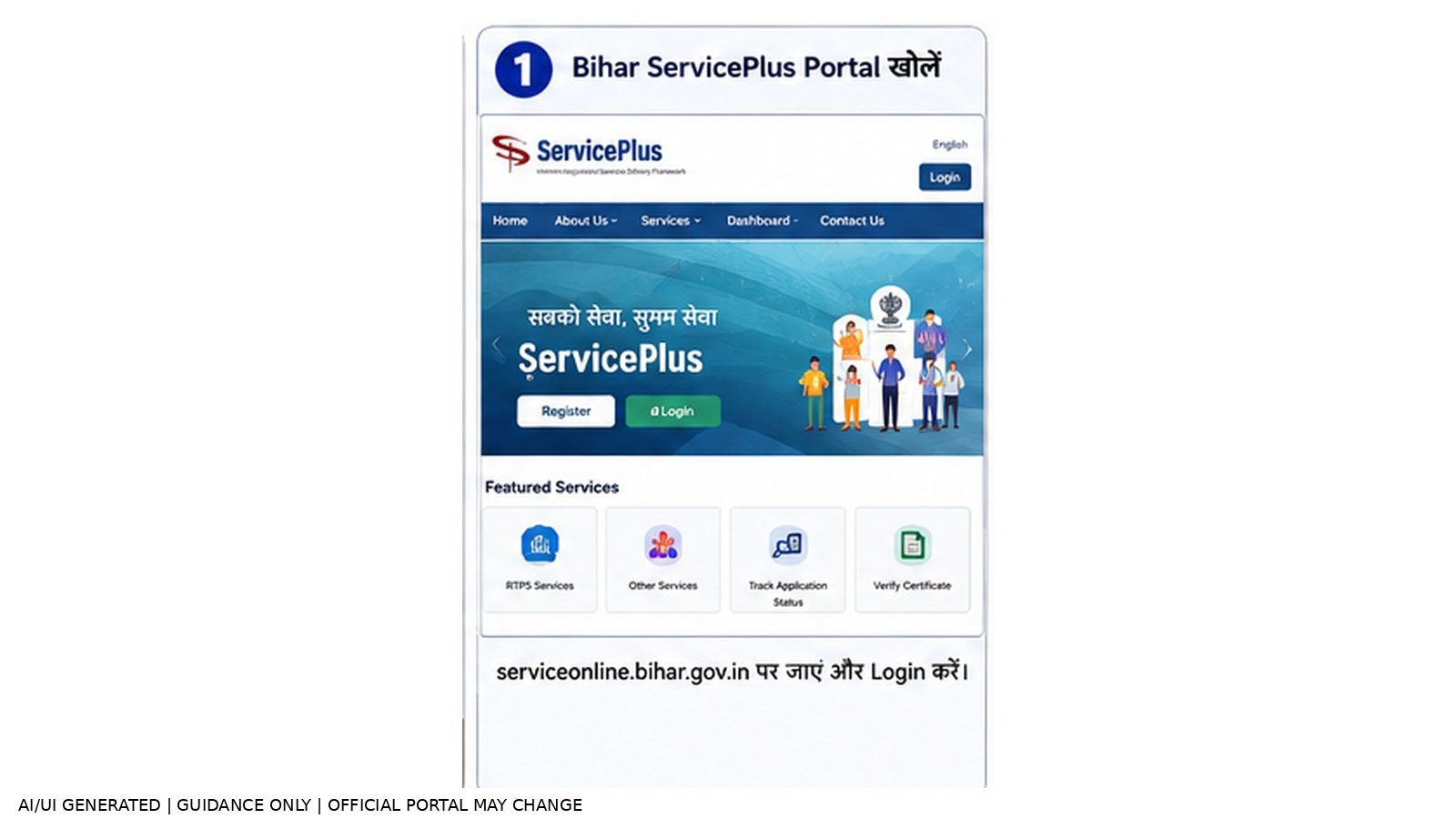
Bihar ServicePlus official portal खोलें और online services/RTPS services तक जाएँ।
Step 2: RTPS Services चुनें
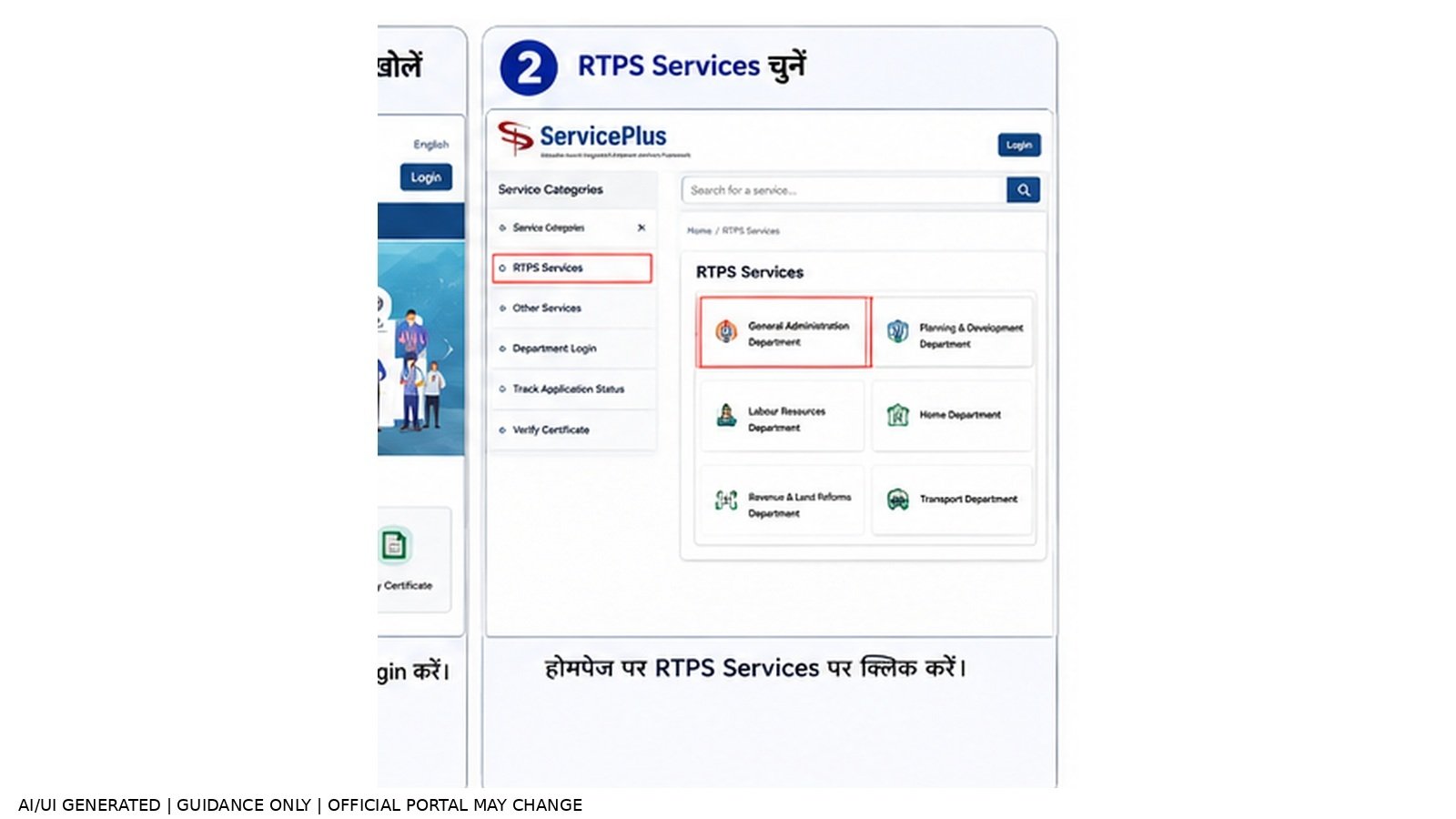
RTPS Services पर जाएँ और General Administration Department चुनें।
Step 3: Income Certificate service चुनें
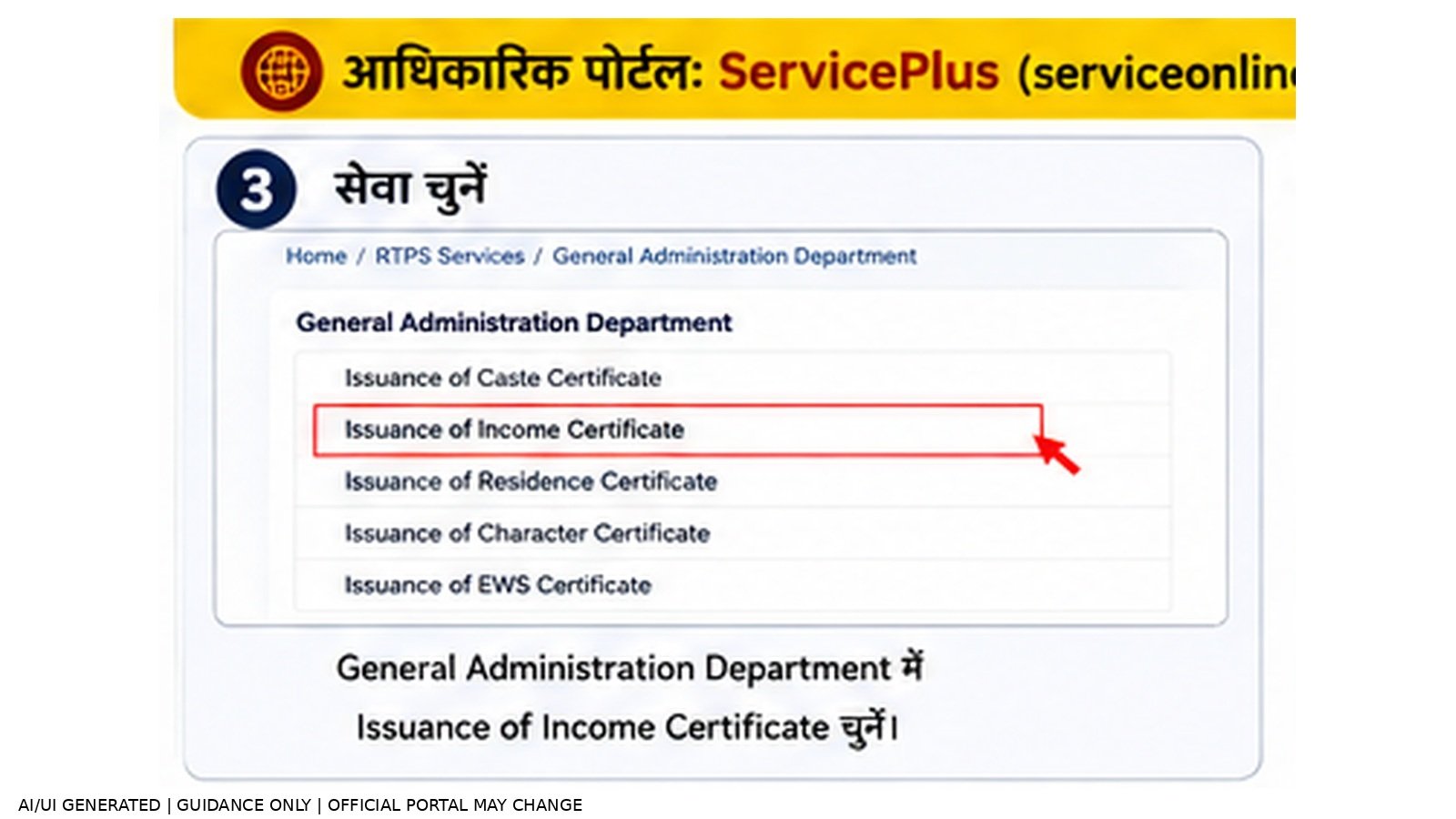
General Administration Department में Issuance of Income Certificate service चुनें।
Step 4: सही Service Level चुनें
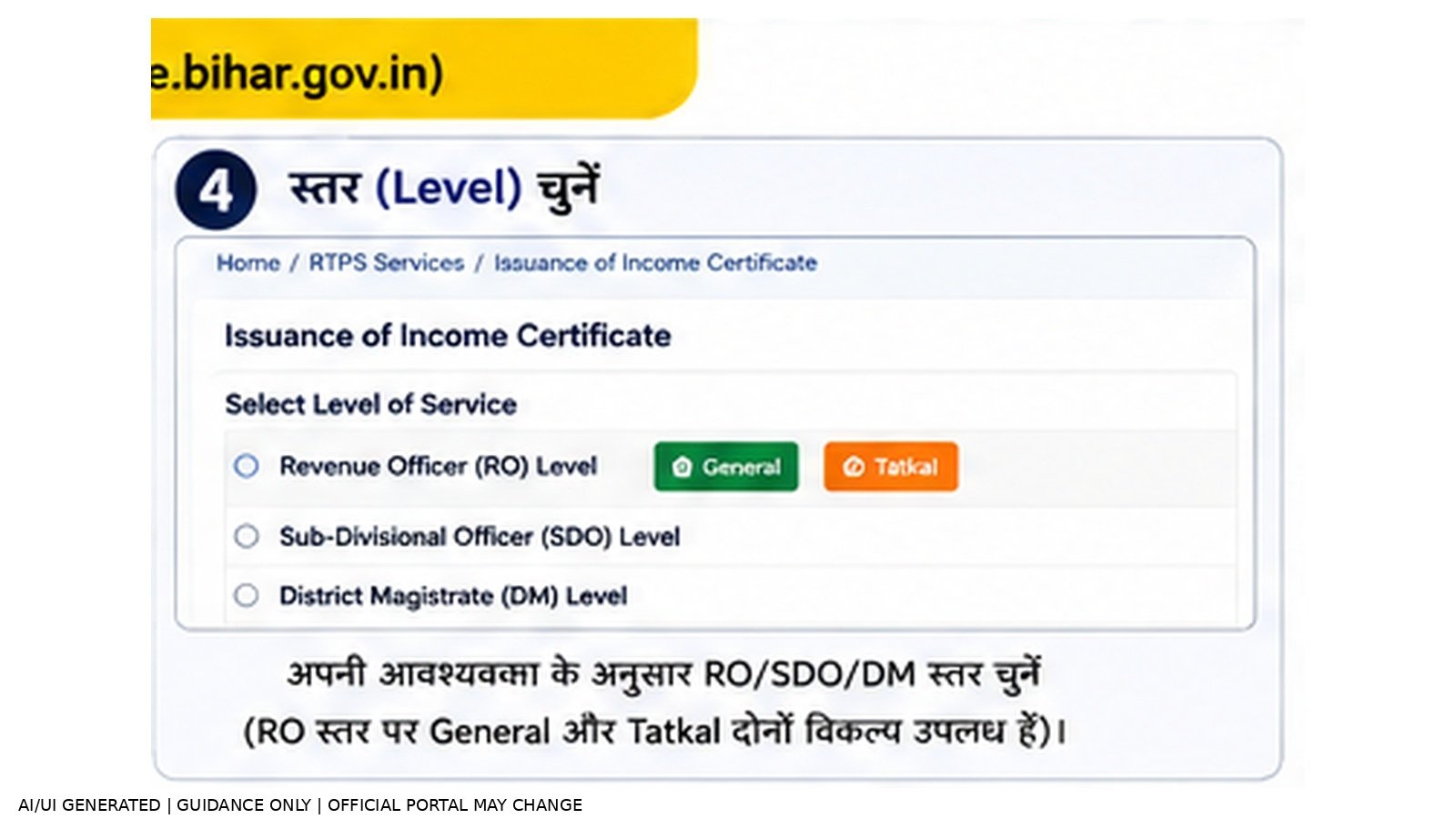
अपनी आवश्यकता और jurisdiction के अनुसार RO/Block, SDO/Sub-Division या DM/District level देखें।
Step 5: Applicant Details भरें
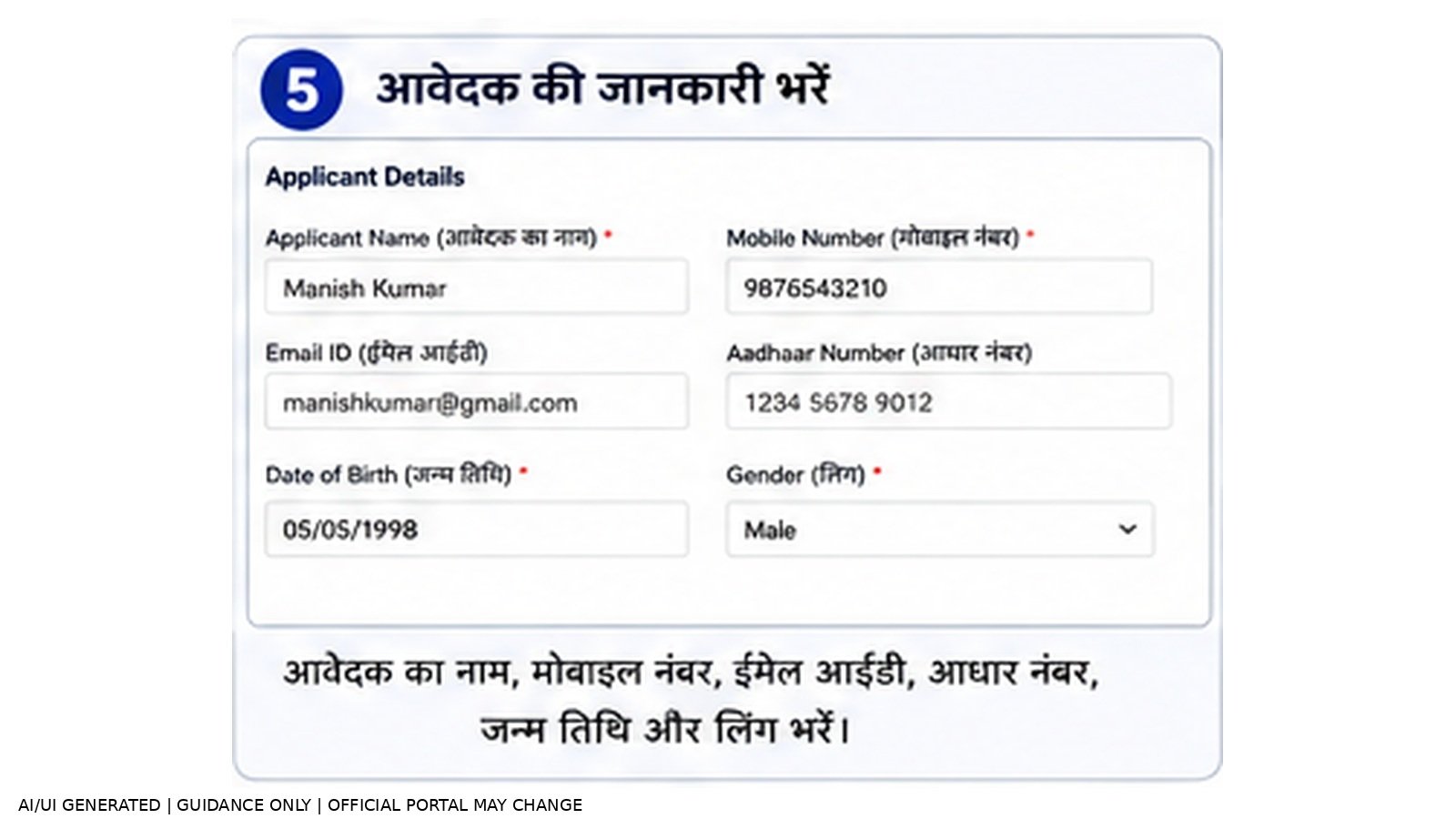
नाम, gender, पिता/माता/पति, mobile, email और form में मांगी गई personal information भरें।
Step 6: Address Details भरें
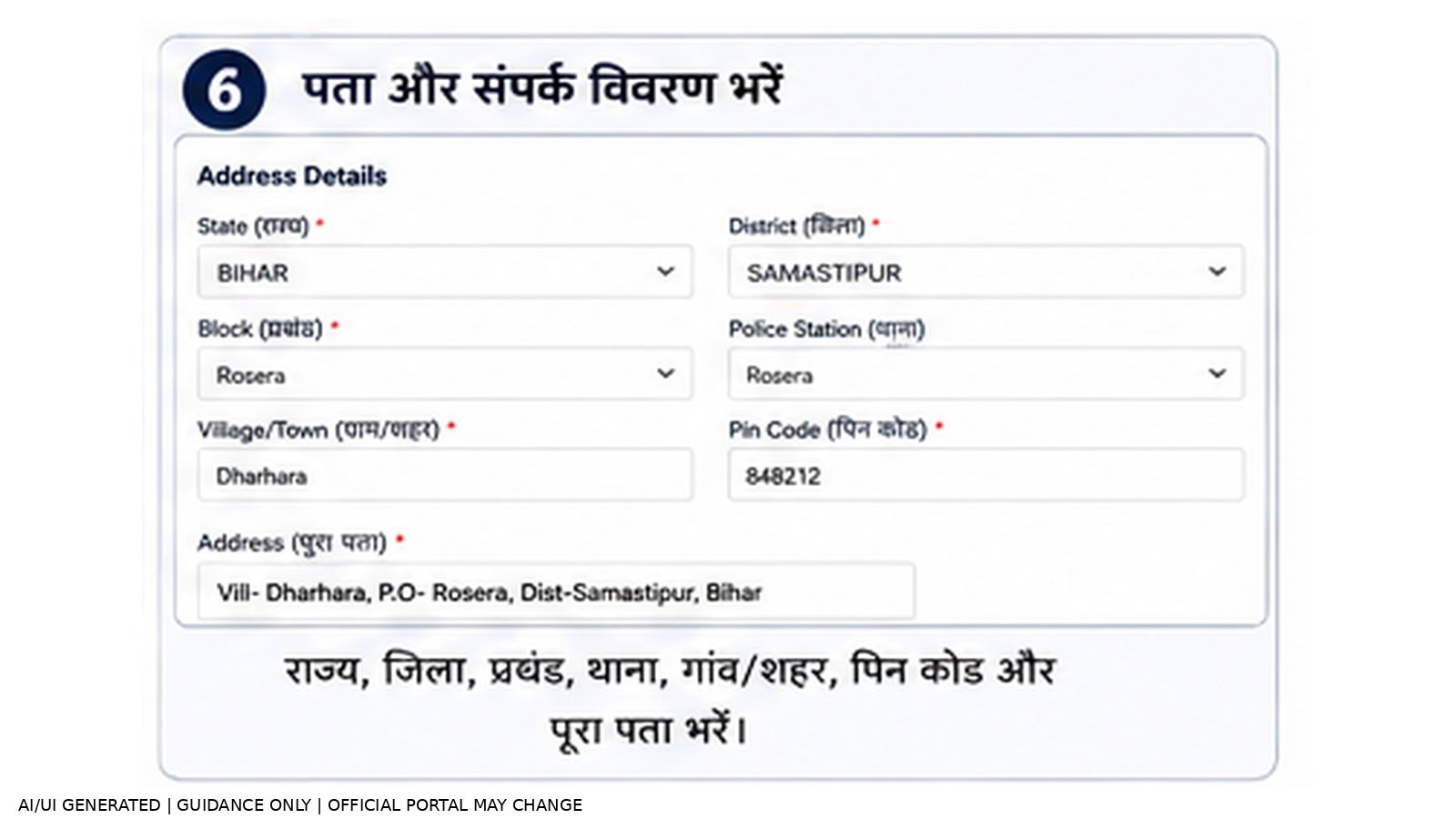
State, District, Sub-Division, local body, ward, village/mohalla, post office, police station और PIN जैसी मांगी गई जानकारी भरें।
Step 7: Profession/Occupation चुनें
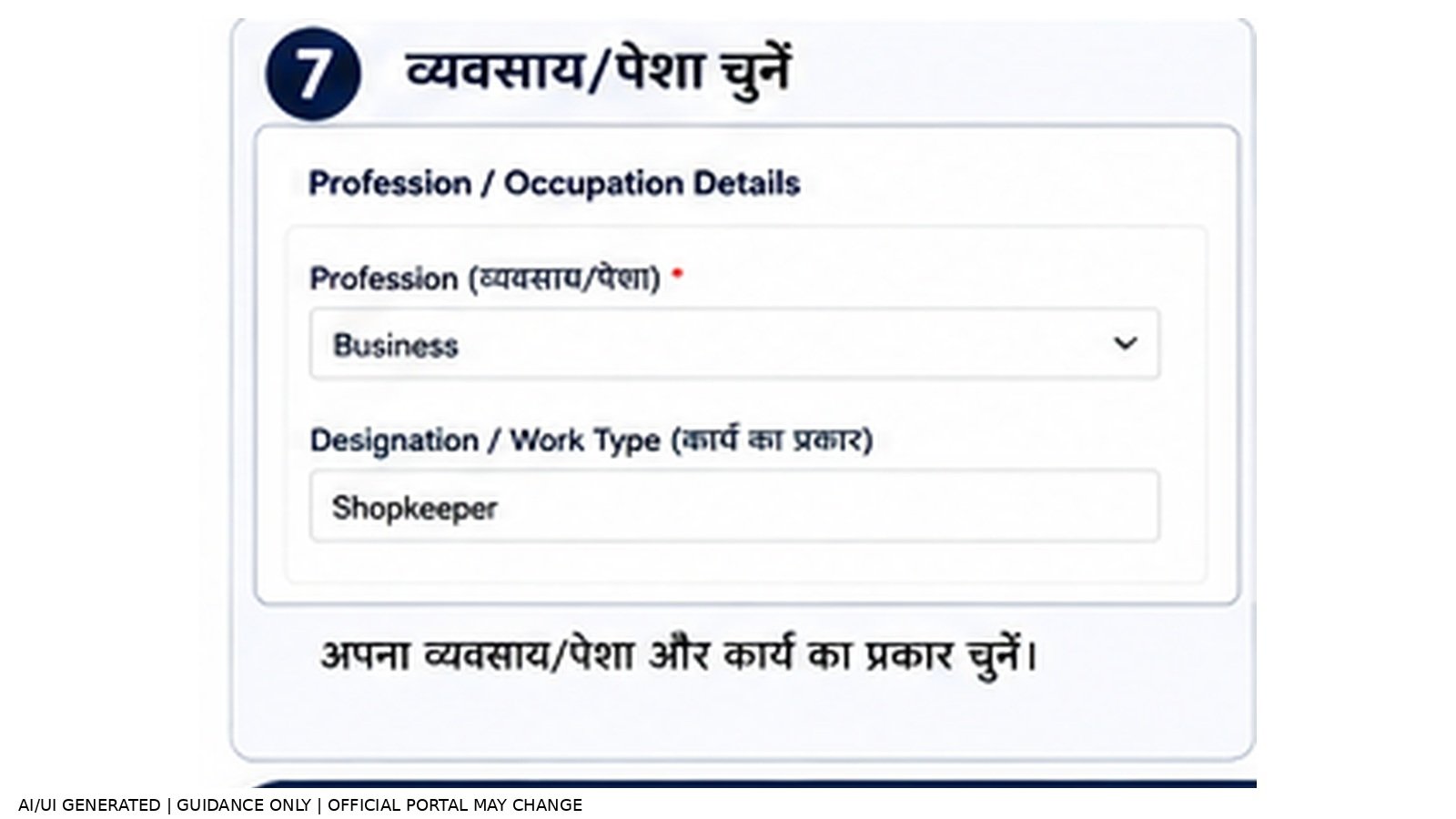
Profession/Occupation और संबंधित work details form के अनुसार भरें।
Step 8: Income Details भरें
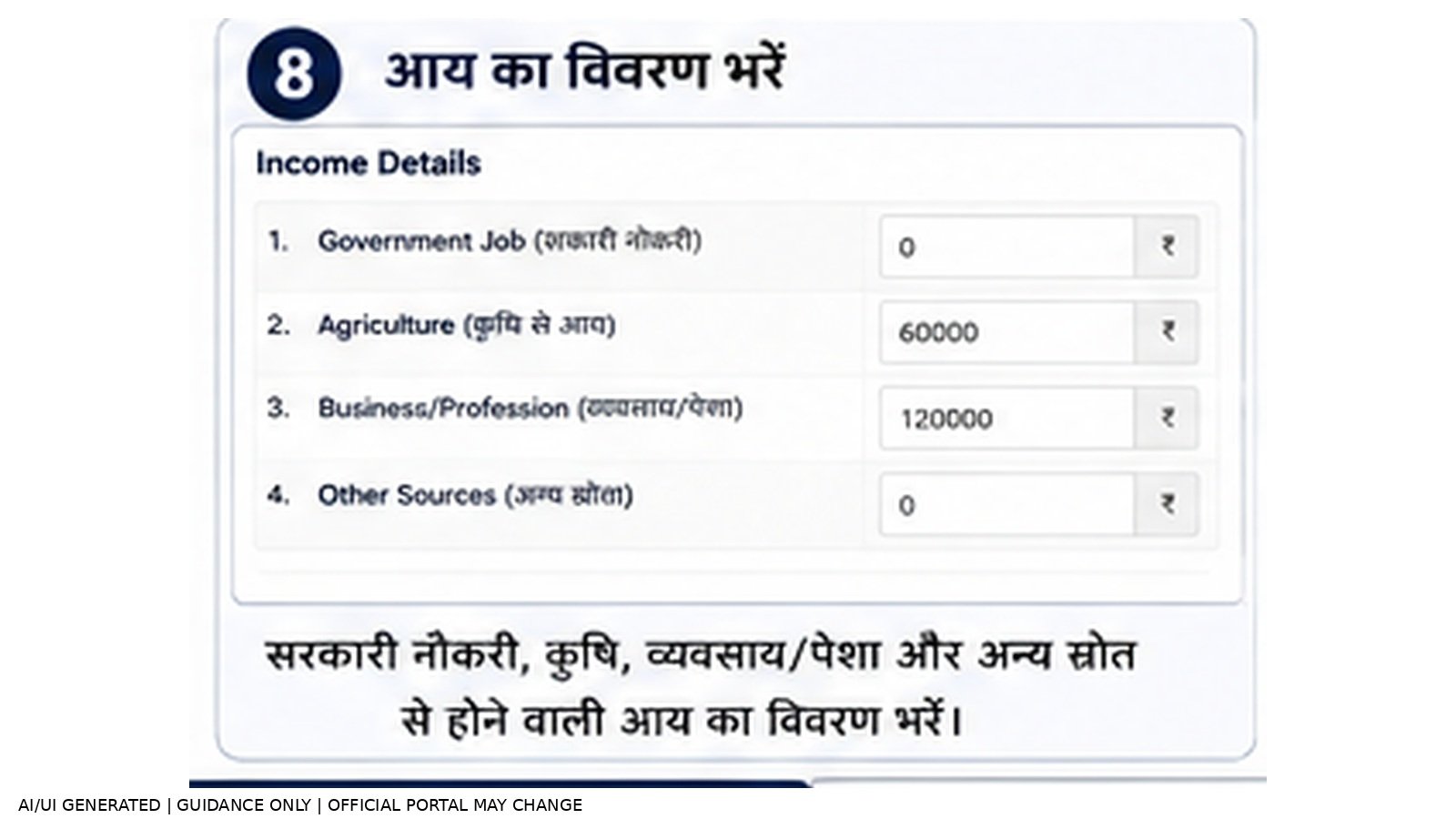
Government service, agriculture, business और other sources से होने वाली income का विवरण भरें।
Step 9: Total Annual Income दर्ज करें
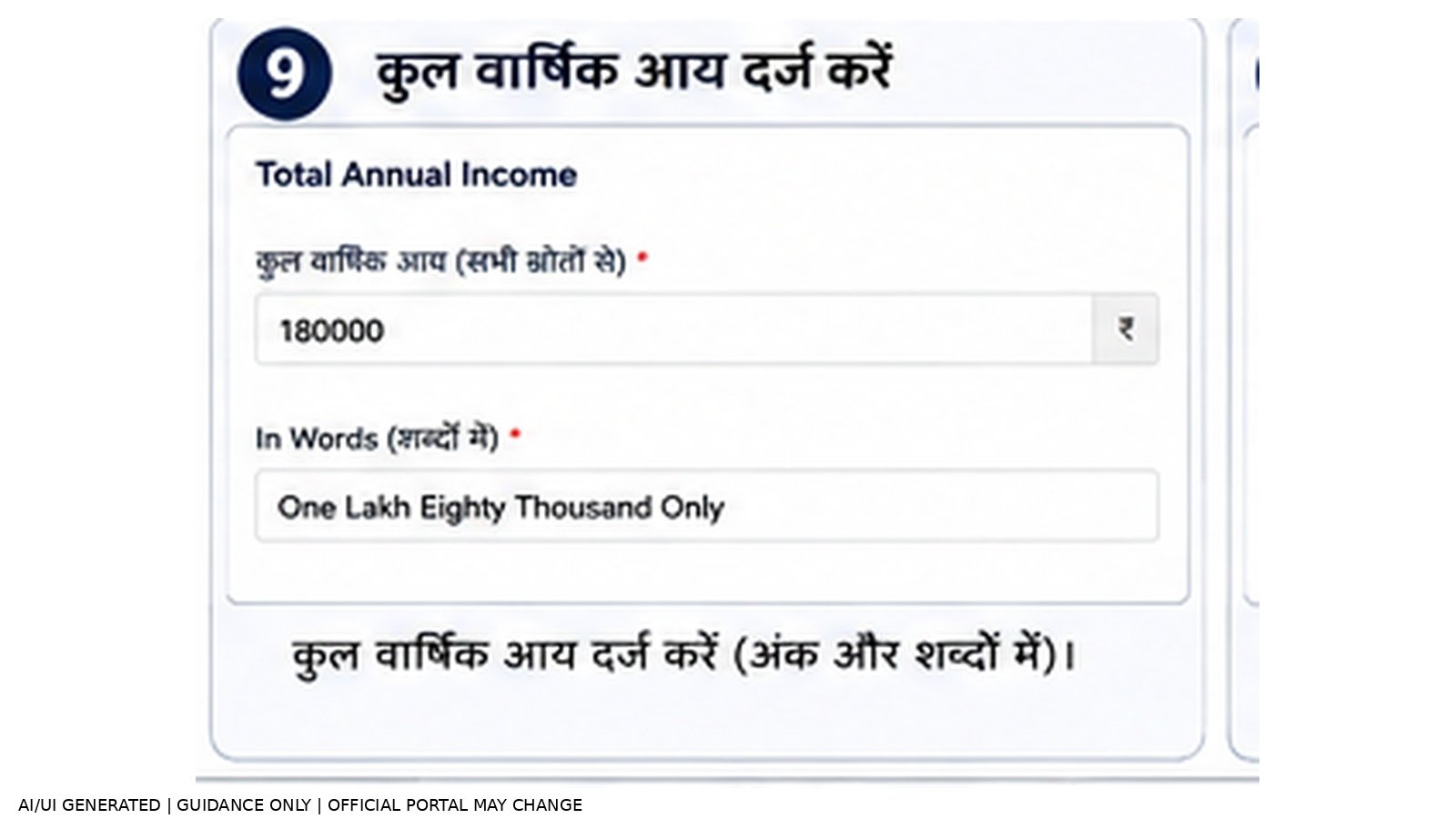
सभी लागू income sources के अनुसार कुल वार्षिक आय दर्ज करें।
Step 10: Documents Upload करें
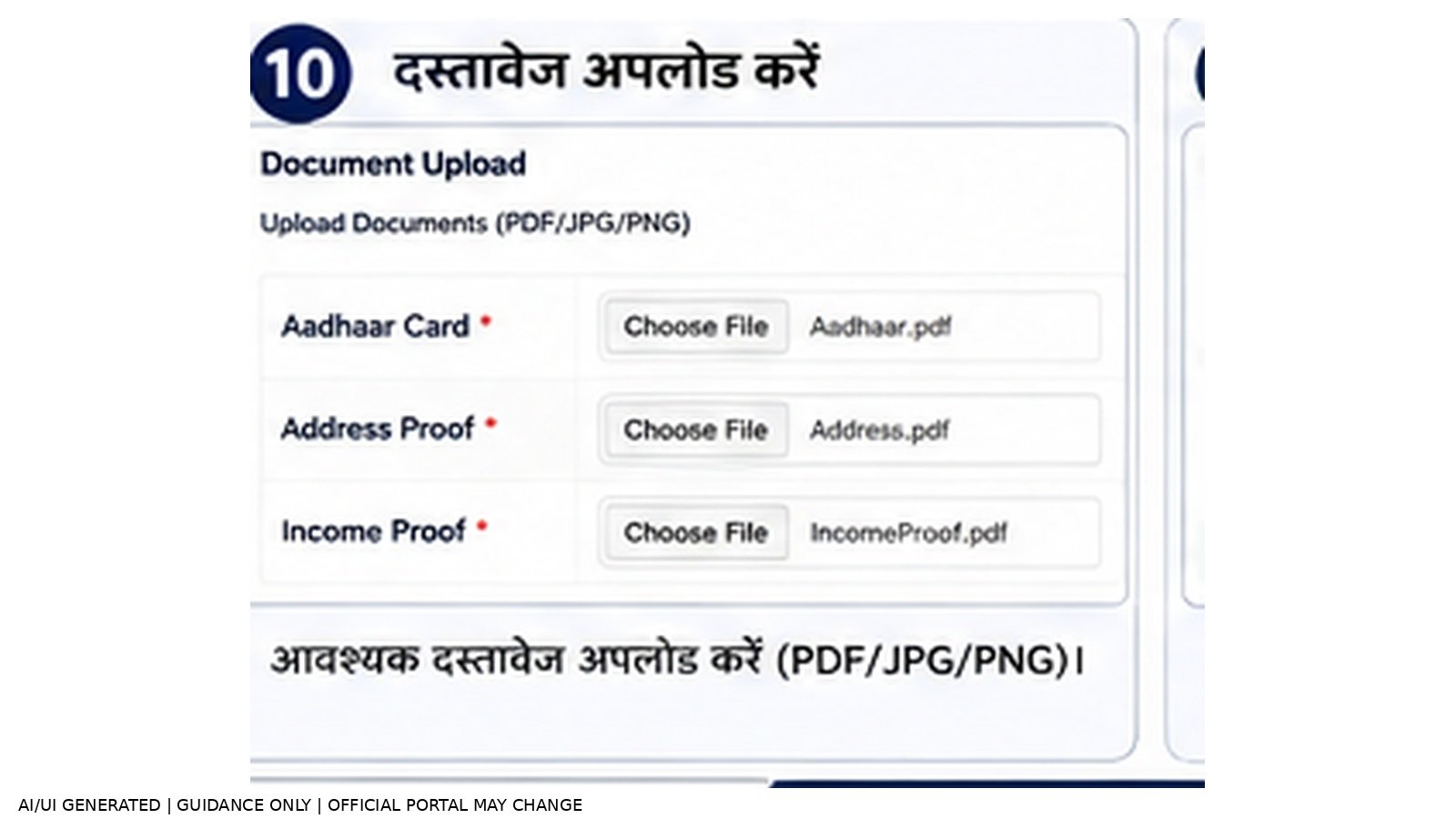
Current form में मांगे गए supporting documents/enclosures upload करें।
Step 11: Declaration, CAPTCHA और Submit
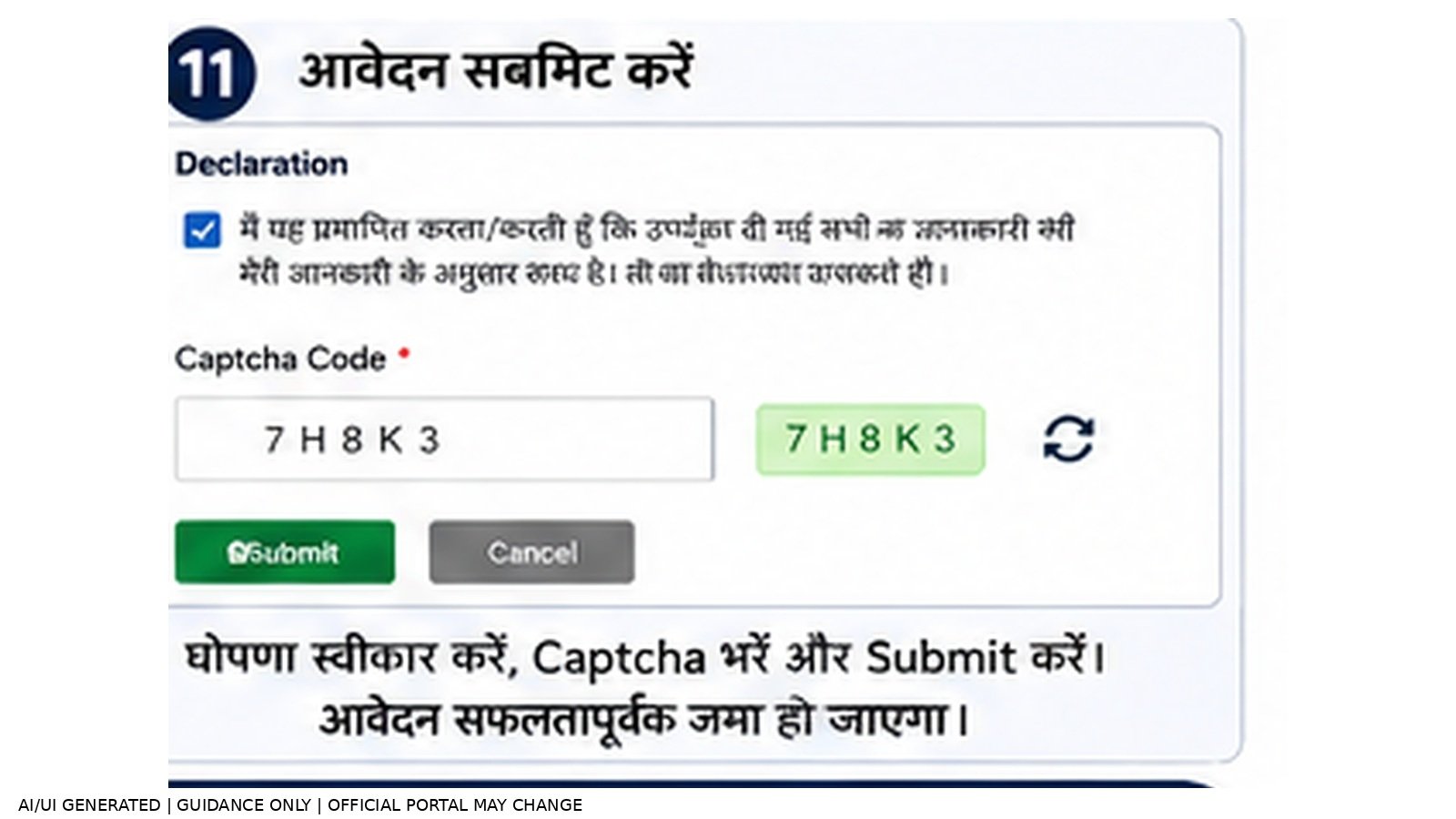
Self Declaration स्वीकार करें, Word Verification/CAPTCHA पूरा करें और Submit/Proceed करें।
📄 जरूरी जानकारी और Documents
Official Income Certificate forms में applicant details, address, profession, purpose, income details, self declaration, additional office/location details और document checklist जैसे sections दिखाई देते हैं। Exact supporting requirements application level और current portal instructions के अनुसार बदल सकती हैं।
- Personal और address details से संबंधित सही जानकारी
- Income sources और annual total income की जानकारी
- Current form में listed supporting documents/enclosures
- Self Declaration के लिए आवश्यक जानकारी
ध्यान दें: Final submission से पहले live official form में दिखाई गई document checklist और file requirements को अंतिम reference मानें।
📊 Application Status और Certificate Download
Application submit करने के बाद Application Reference Number/Acknowledgement सुरक्षित रखें। Official Bihar ServicePlus portal पर Track Application Status facility से application की स्थिति देखी जा सकती है।
Official portal के अनुसार certificate उपलब्ध होने पर उसे Email attachment, SMS में भेजे गए Download Link, DigiLocker, Track Application Status, ServicePlus Inbox या Public Service Center के माध्यम से प्राप्त किया जा सकता है, application mode के अनुसार।
⚠️ Important Points
- अपने jurisdiction के अनुसार सही RO/Block, SDO या DM level चुनें।
- General और Tatkal option जहाँ उपलब्ध हो, application purpose और जरूरत के अनुसार चुनें।
- नाम, address, profession और income details submit करने से पहले verify करें।
- Current portal पर मांगे गए readable documents ही upload करें।
- Application Reference Number/Acknowledgement सुरक्षित रखें।
- Certificate केवल official Bihar ServicePlus/RTPS portal से प्राप्त करें।
- OTP, password और sensitive information किसी अनजान व्यक्ति से share न करें।
- Fake website या unofficial payment link से बचें।
❌ Common Mistakes
- गलत Block/RO, SDO या DM level चुनना
- नाम या address में spelling mistake
- Profession या income source गलत चुनना
- Total annual income गलत दर्ज करना
- Required supporting document attach न करना
- Declaration/CAPTCHA पूरा किए बिना submit करने की कोशिश करना
- Final submission के बाद Application ID save न करना
🔗 Bihar Income Certificate Official Links
| काम | Official Link |
|---|---|
| ServicePlus / Online Services | Official ServicePlus |
| Income Certificate — RO Level | RO Level Form |
| Income Certificate — SDO Level | SDO Level Form |
| Income Certificate — DM Level | DM Level Service Details |
| Application Status / Certificate | Official Portal |
| Certificate Download | Download Certificate |
| Applicant User Manual | Official Manual PDF |
❓ FAQs
बिहार Income Certificate के लिए online आवेदन कहाँ करें?
Official Bihar ServicePlus/RTPS portal पर General Administration Department के अंतर्गत Issuance of Income Certificate service से आवेदन करें।
Income Certificate के कौन-कौन से levels उपलब्ध हैं?
Official Service List में RO level (General और Tatkal), SDO level और DM level Income Certificate services operational दिखाई गई हैं।
Income Certificate कितने समय में मिलता है?
Official service details में 10 दिन की delivery period दी गई है, जिसमें सरकारी छुट्टियाँ शामिल नहीं हैं।
Application Status कैसे check करें?
Official Bihar ServicePlus portal की Track Application Status facility से Application Reference Number और मांगी गई details के माध्यम से status देखें।
Certificate कैसे download करें?
Official portal के अनुसार SMS download link, Email, DigiLocker, Track Application Status, ServicePlus Inbox या Public Service Center से certificate प्राप्त किया जा सकता है, application mode के अनुसार।
क्या process images official screenshots हैं?
नहीं। इस article में process images AI/UI Generated visual guidance हैं और इन्हें official government screenshots के रूप में प्रस्तुत नहीं किया गया है।
🏛️ Official Sources & Source Mapping
- Bihar ServicePlus official portal and RTPS service list.
- Income Certificate RO/SDO/DM official service pages/forms.
- Bihar Applicant User Manual and official portal certificate-delivery information.
Last Verified: 02 September 2026